Fixed Asset Pro 2008

The fixed asset depreciation options you need, plus powerful reporting for a fraction of the cost of higher-priced programs.

This very cost-effective fixed asset depreciation software was designed specifically for small to mid-sized companies and CPA's.

In addition to an affordable price, unlimited FREE technical support is included!

At just $ 449.00 Fixed Asset Pro is a powerful, effective depreciation and asset system that costs just a fraction of other comparable software programs.

  • Easy to install and use.
  • Eliminates the headaches of calculating asset depreciation.
  • Replaces old, unreliable spreadsheets.
  • Save time by streamlining fixed asset organization and record keeping.
  • Save on taxes by not missing important depreciation deductions.
  • Save money by not insuring assets that are off the books.

The current version of Fixed Asset Pro (8.0) was released in February, 2008.

Fixed Asset Pro's streamlined approach will save you hours and put you in control of your fixed assets.

This easy-to-use, full-featured depreciation software will save you hours by streamlining organization, maintaining current fixed-asset records, maximizing your tax deductions and generating up-to-date reports when you need them.

  • Supports an unlimited number of companies and assets.
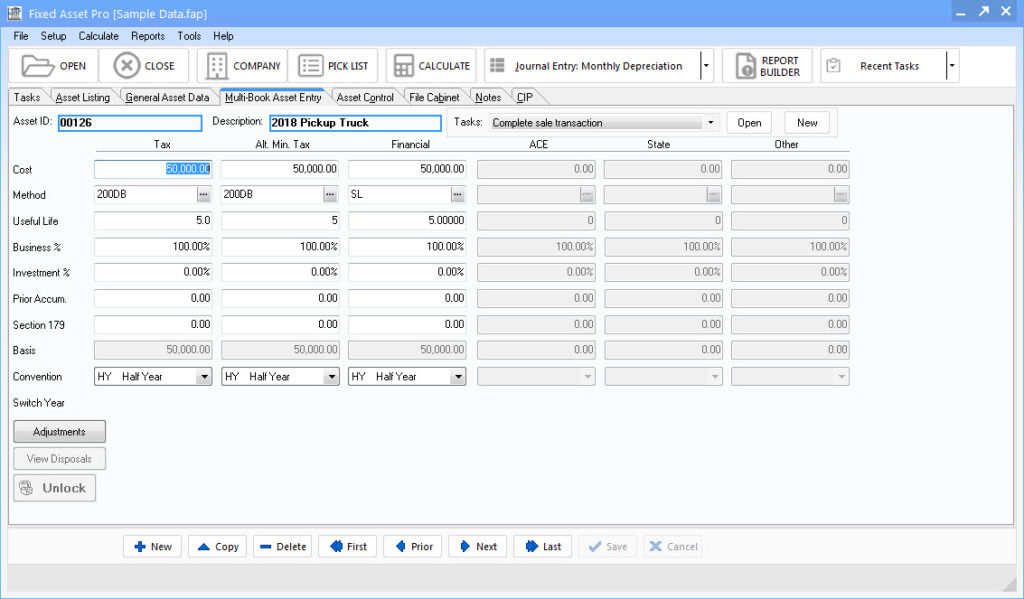
  • Simultaneously applies tax rules and calculates depreciation for up to six sets of books: financial, federal tax, AMT, ACE, state tax and a user-defined set of books.
  • Supports half-year, mid-quarter and mid-month MACRS conventions.
  • Current tax and accounting rules for fixed asset depreciation are built in.
  • Includes 38 tax and accounting depreciation methods.
  • Handles purchases and disposals throughout the year.
  • Automatically generates monthly posting totals.
  • Prepares a projection schedule detailing all future depreciation charges over the useful life of each fixed asset.
  • Keeps track of the location of each asset.
  • Maintains detailed notes on each asset.

Asset Information at Your Fingertips
With Fixed Asset Pro, you can create an unlimited number of fixed asset records for an unlimited number of companies. Assets can be classified into user-defined groups such as asset type, location, G/L account number and personal property type. Once an asset record is created, it is automatically transferred to all other sets of books. Simply enter an asset once; Fixed Asset Pro does the rest.

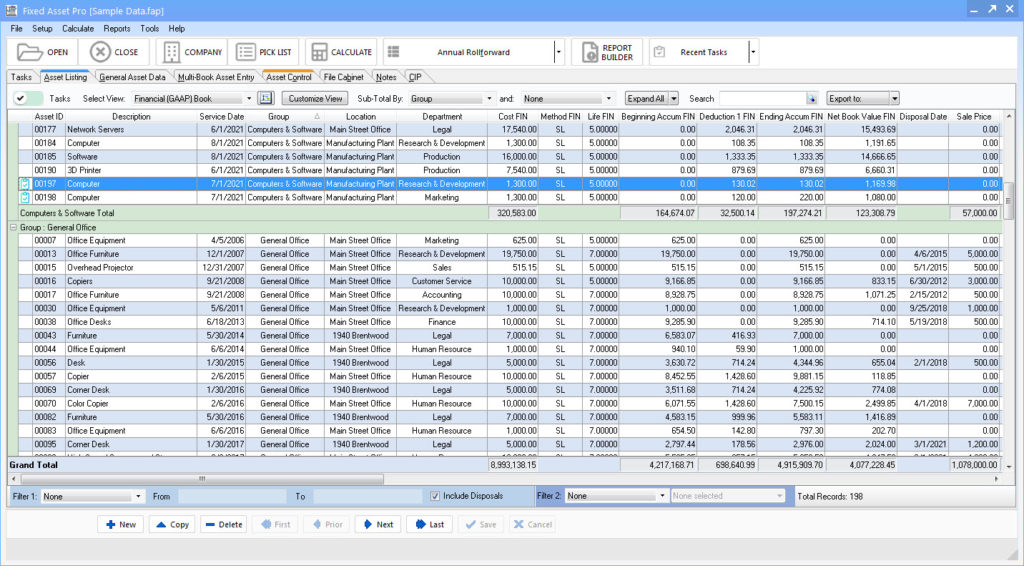
You can also keep track of valuable information such as model numbers, vendor contact information, maintenance records and more using the notepad available for each asset. When you need information about a specific asset or group of assets, Fixed Asset Pro allows you to browse and search for assets by asset ID, description, date, location, group, class, AMT type and G/L expense account number. You can also create custom pick lists for location, group, G/L asset, G/L accumulated and G/L expense fields. With Fixed Asset Pro, detailed information on each asset is at your fingertips.

Powerful Reporting for Management Control and Tax Purposes
To prepare effective reports for tax, accounting or internal purposes, select from Fixed Asset Pro's library of standard reports or easily create your own. Standard reports are automatically calculated and formatted.

Standard reports can be printed or exported as Excel, CSV or other formats. Reports include:

  • Depreciation summary for each book
  • Federal tax form 4562 report
  • Annual purchase/disposal activity
  • Annual AMT (Alternative Minimum Tax)
  • ACE (Adjusted Current Earnings)
  • Book value
  • Personal property tax
  • Lifetime projection report
  • Interim posting totals
  • Individual fixed asset records

For user-specific reporting needs, Fixed Asset Pro's custom report writer gives you complete access to your fixed asset data, allowing you the flexibility to build reports in any format. Custom reports can be exported in common data formats for use with various G/L accounting packages.

With its affordable price, customizable report writer and FREE technical support, Fixed Asset Pro is an extraordinary value. Why not get your copy today?

PRODUCT DETAILS

DEPRECIATION METHODS

38 Tax and Accounting Depreciation Methods including:
  • MACRS  8 methods including alternative MACRS and straight-line MACRS.
  • ACRS  22 methods including alternative ACRS and straight-line ACRS.
  • 6 Pre 1981 methods including straight-line, sum of years digits and 4 declining balance methods.
  • Amortization and manual depreciation entry available.

AVAILABLE BOOKS:

  • Simultaneously maintains up to 6 sets of books including Financial, Federal Tax, State Tax, Alternative Minimum Tax (AMT), Adjusted Current Earnings (ACE) and a user-defined book.
  • Enter each asset only once and automatically update the other sets of books.
  • In each set of books, an asset can have a different cost, method, life, business use percentage, investment use percentage, section 179 and convention.

ASSET RECORDS :
Each asset record has user-defined fields including asset ID, group and location.

  • Detailed description of the asset
  • Vendor name for section 179 record-keeping compliance
  • Date the asset was placed into service
  • New or used designation for ITC purposes
  • Depreciation method easily selected from the list of available methods
  • Convention (half-year, mid-quarter or mid-month)
  • Tax class (ACRS, MACRS and other)
  • Useful life of the asset
  • Original cost of the asset and prior deductions taken
  • Salvage value of the asset
  • Investment Tax Credit (ITC) amount taken
  • Business use percentage and investment use percentage
  • Disposal price and date
  • Section 179 deductions taken
  • Listed property options (none, luxury automobile limits and other)
  • Various ITC options available based on the date placed into service
  • AMT type (property placed into service after 1986, real property before 1987, leased property before 1987, non-recovery real property before 1981 and non-recovery leased personal property before 1981)
  • ACE type (post-1993 property, post-1989/pre-1994 property, pre-1990 MACRS property, pre-1990 original ACRS property, property in section 168(f)(1)-(4), or other property)
  • Personal property type (machinery and equipment, furniture and fixtures, small tools and supplies, real estate, leased property and exempt property)
  • General ledger asset, accumulated and expense account numbers
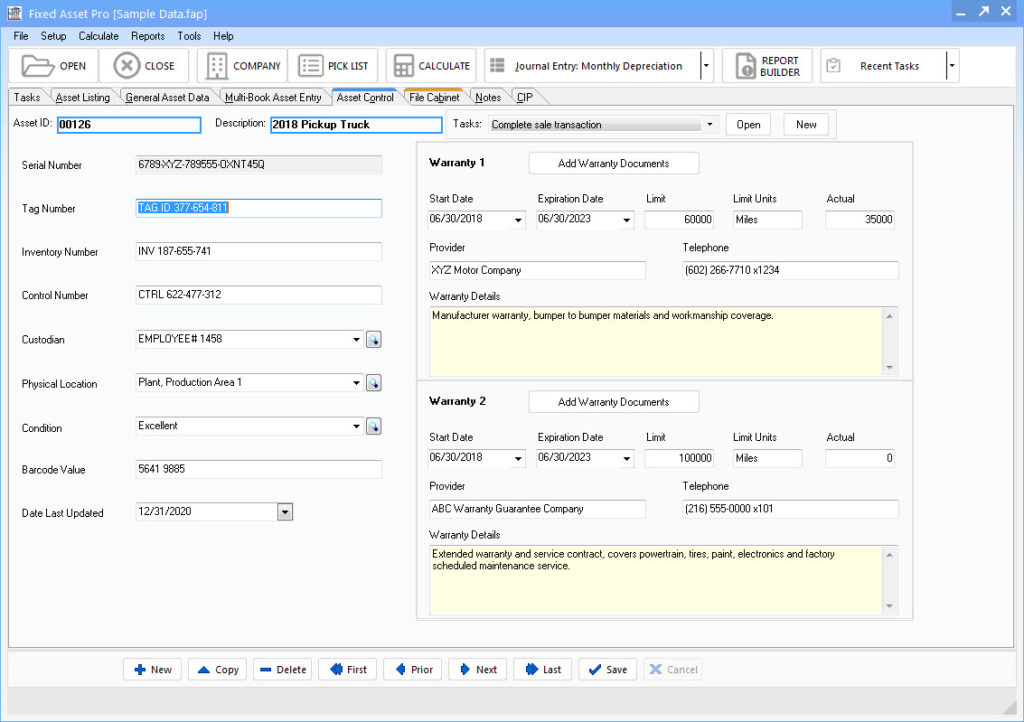
  • Serial number for identification and insurance purposes
  • Option to use tax tables or formulas for depreciation calculations

Look up tables and selection lists are available for group, location, depreciation method, tax class, listed property, ITC options, convention, AMT type, ACE type, personal property type and general ledger account numbers.

ASSET OPTIONS :

  • Calculates for calendar or fiscal years by client
  • Easy reference to IRS asset lives table
  • Select formulas or IRS tables for each MACRS asset
  • Supports half-year, mid-quarter and mid-month MACRS conventions
  • Conventions are set automatically for the year of calculation, but allows forced or manual convention selections
  • Apply business and investment use percentages
  • Keeps two years open at one time for year end and new year calculations
  • Calculates deductions for year in which asset is disposed
  • Automatically applies tax limits to luxury automobiles & listed property
  • Choose to apply automobile limits in State and User-Defined books
  • Default methods and lives are automatically applied in State and User-Defined books
  • Code Sec. 179 "expensing" election with applied limitations
  • Option to use Code Sec. 179 tax rules in State and User-Defined books
  • Choose to use Corporate Earnings and Profit Rules for Code Sec. 179 in State and User-Defined books
  • Customizable notes screen allows unlimited detail notes for each asset

REPORTS:

  • Depreciation summary for each book
  • Federal tax form 4562 report
  • Annual purchase/disposal activity
  • Annual AMT
  • Annual ACE
  • Book value
  • Personal property tax
  • Lifetime projection report
  • Interim posting totals
  • Detail on individual fixed asset records
  • Custom report writer allows you to create your own reports
  • All reports can be previewed, printed or output to file

Data on reports can be sorted and subtotaled by Asset ID, Date, Class/Date, Group/Date, Location/Date, Group/Location, Alternative Minimum Tax Types, Date with Yearly Subtotals, General Ledger Expense account.

WIZARDS:

  • Import Wizard allows users of the DOS version of Fixed Asset Pro to easily import data into the Windows version.
  • Backup Wizard makes it easy to backup valuable fixed asset data and transfer data between computers. Supports spanning of multiple floppy disks.

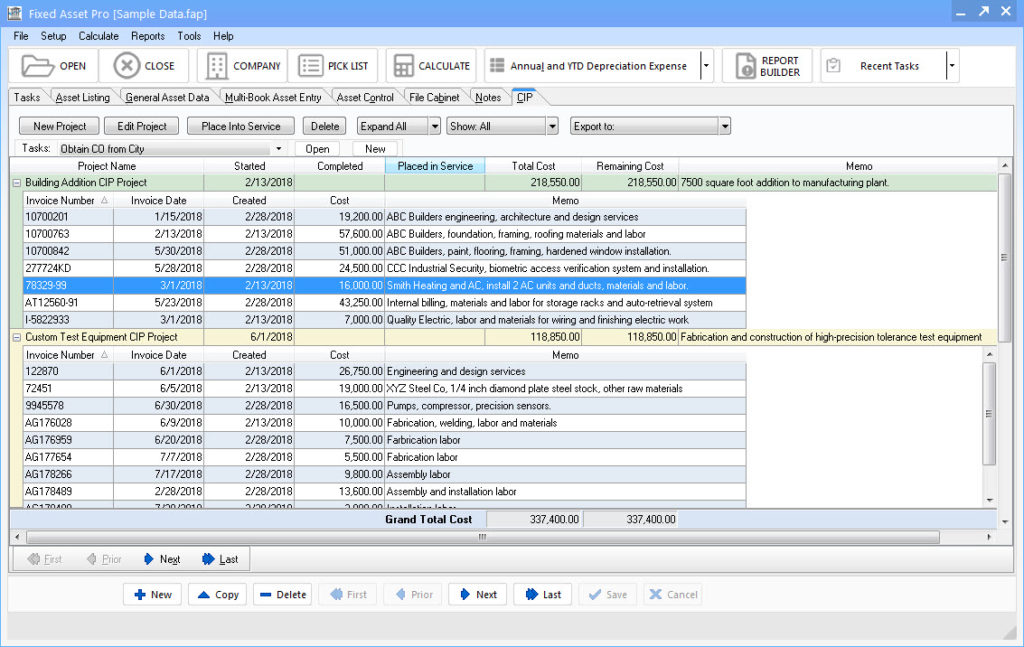
Sample Screen Shots:

The following is a small sampling of the screens and worksheets contained in Fixed Asset Pro.


Click to Enlarge
Entering data is quick and easy.
 
Pick lists make it easy to select depreciation methods, conventions and other important information.
 

Click to Enlarge
You can maintain 6 sets of books. Tax and Accounting Rules are automatically applied.
 

Click to Enlarge
Asset information is at your fingertips. It's easy to sort and find information about any asset. Just click on the aset for detailed information.

ANNUAL UPDATES AVAILABILITY

Annual updates are prepared to reflect changes to the depreciation laws. Updates are affordably priced based upon the extent and scope of the tax law changes. Typically, updates run in the range of $129 to $169.

The most recent update was released in February 2008.


Live chat by BoldChat
sayboxtopcap
   

Key Components:  
 
Product Detail
Sample Screen Shots
Annual Updates
saybxbottomcap
sayboxtopcap
   

Shopping Cart


List

$495.00

Save

Sale

$449.00


saybxbottomcap
sayboxtopcap
    MoneySoft Money-Back Guarantee  
 

Install our products and put them through their paces. If you can honestly say that our products do not save you time and perform exactly as we say they will, simply let us know within 30 days from the date of purchase and we will gladly issue a full refund.

saybxbottomcap
sayboxtopcap
    sayheader  


More Testimonials
saybxbottomcap


Documents